![eQuip Logo on White-1.png]](https://help.assetworksusa.com/hs-fs/hubfs/eQuip%20Logo%20on%20White-1.png?height=50&name=eQuip%20Logo%20on%20White-1.png)
This is likely due to assets scope this article will explain what each scoping element means.
Site - Each asset has a site. This scoping element controls which sites are visible to the user.
Note : Site is a required field and if no site scoping is set, then no assets will be visible to that user.
Location Category – Each asset has a location, and each location has a location category. This scoping element controls which location categories are visible to the user.
Note : Location is a required field and if no location category scoping is set, then no assets will be visible to that user.
People Category – Each Person, sometimes known as Asset Custodian, has a category. This scoping element controls which people categories are visible to the user. This applies to assets with assigned custodian
Note : This is not a required field
Department - This scoping element controls which departments are visible to the user.
Note: This is not a required field
Asset Category - Each Asset has a category. This scoping element controls which asset categories are visible to the user.
Note : Asset Category is a required field and if no asset category scoping is set, then no assets will be visible to that user.
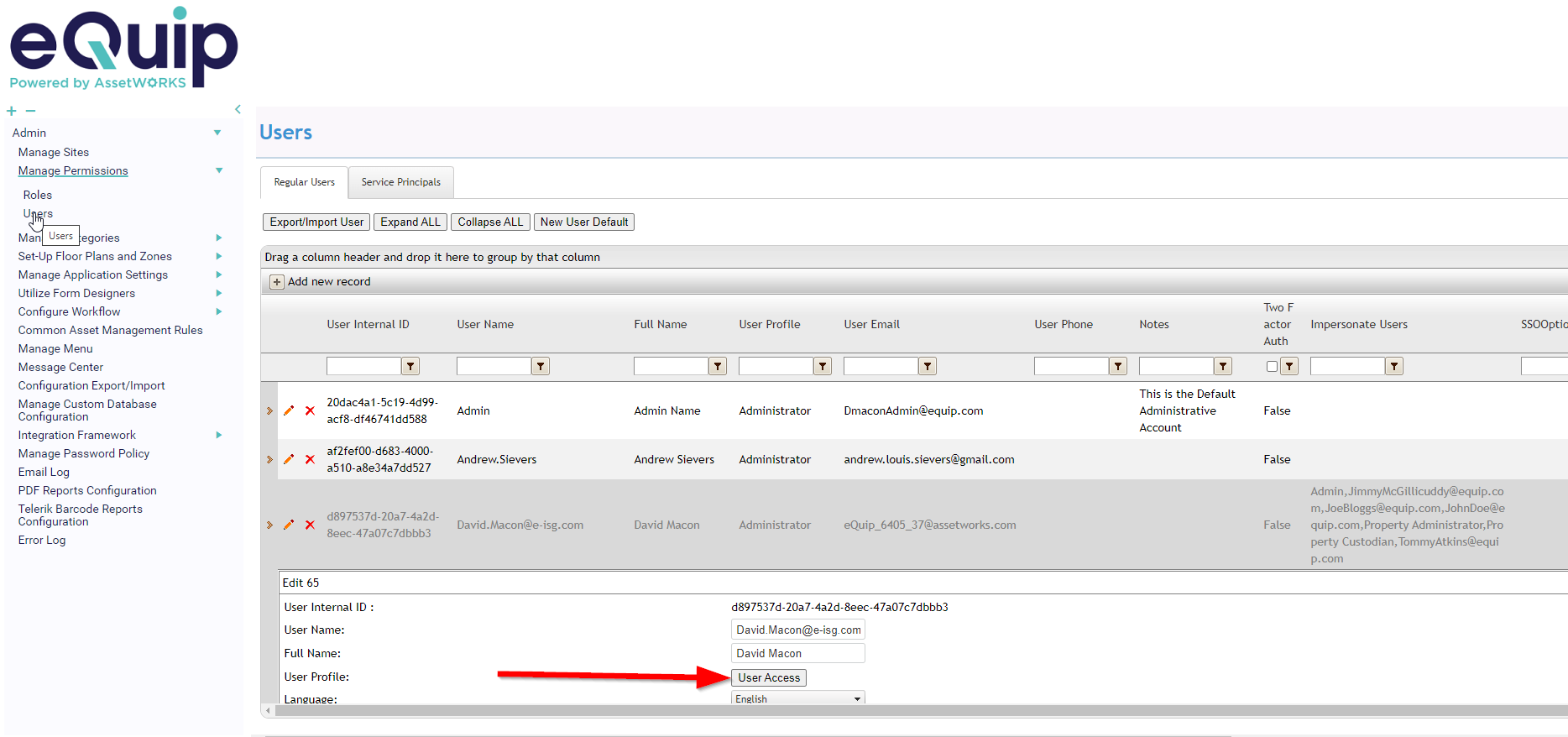
Scope is Adjusted by navigating to
Admin> Manage Permissions > Users
Clicking on the pencil next to the user name
Clicking on the User Access Button