Setting Password Policy in eQuip
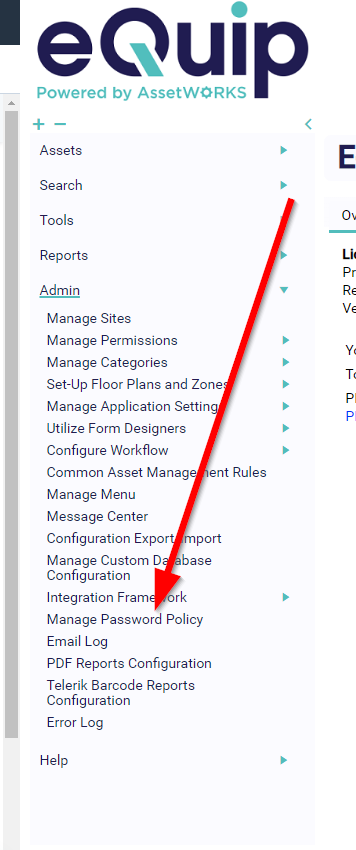
navigate to admin > manage password policy
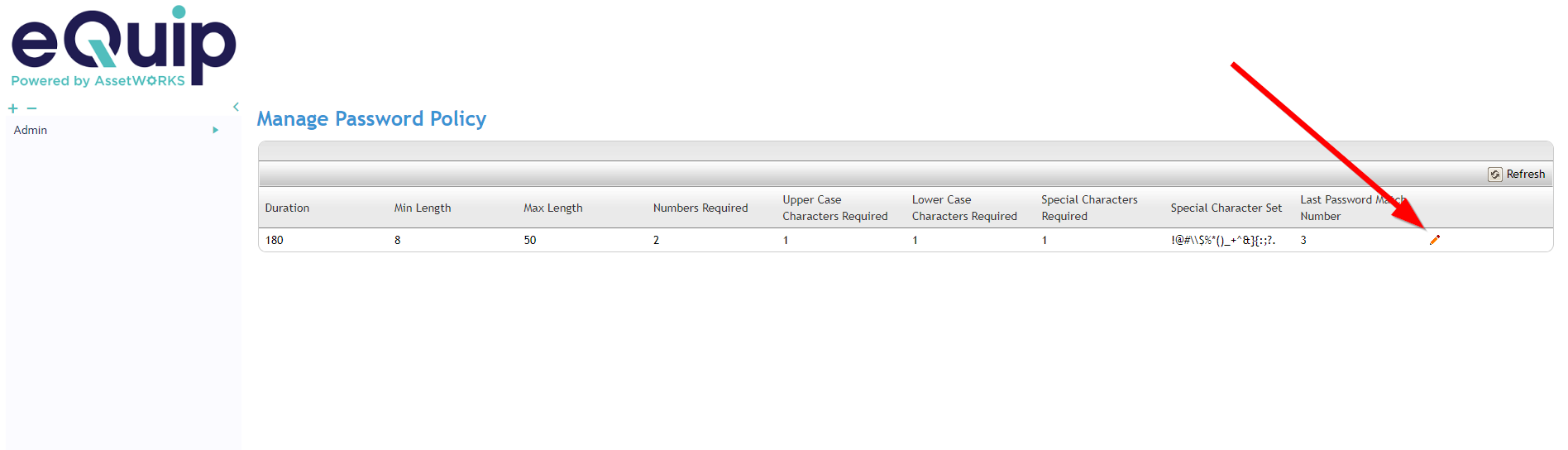
Click the pencil to the right to change the password policy
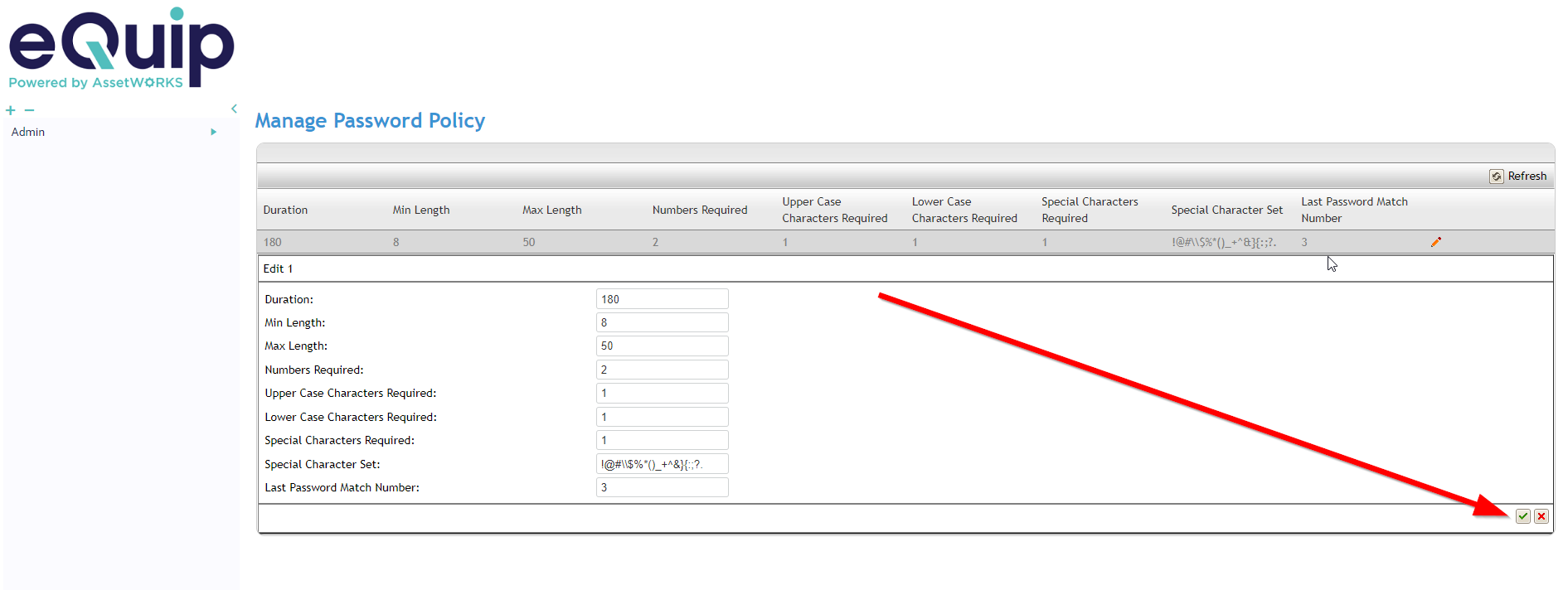
Make the desired changes and click the green check box when finished
![eQuip Logo on White-1.png]](https://help.assetworksusa.com/hs-fs/hubfs/eQuip%20Logo%20on%20White-1.png?height=50&name=eQuip%20Logo%20on%20White-1.png)
Setting Password Policy in eQuip
navigate to admin > manage password policy
Click the pencil to the right to change the password policy
Make the desired changes and click the green check box when finished