![eQuip Logo on White-1.png]](https://help.assetworksusa.com/hs-fs/hubfs/eQuip%20Logo%20on%20White-1.png?height=50&name=eQuip%20Logo%20on%20White-1.png)
Search For Assets
This document walks through the process of editing individual assets located using a search
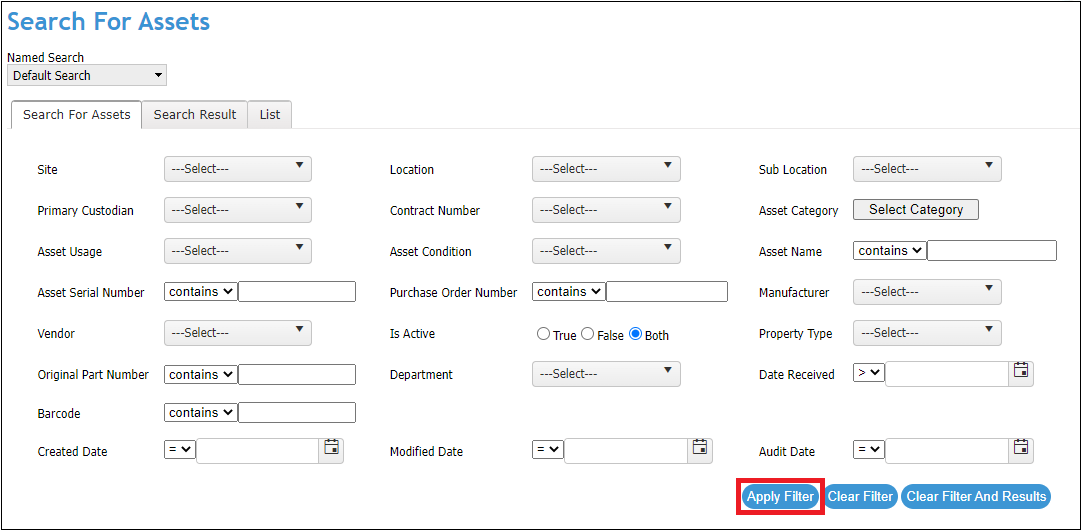
- Go to SEARCH > Search For Assets
- On the next screen choose Apply Filter to get a list of assets
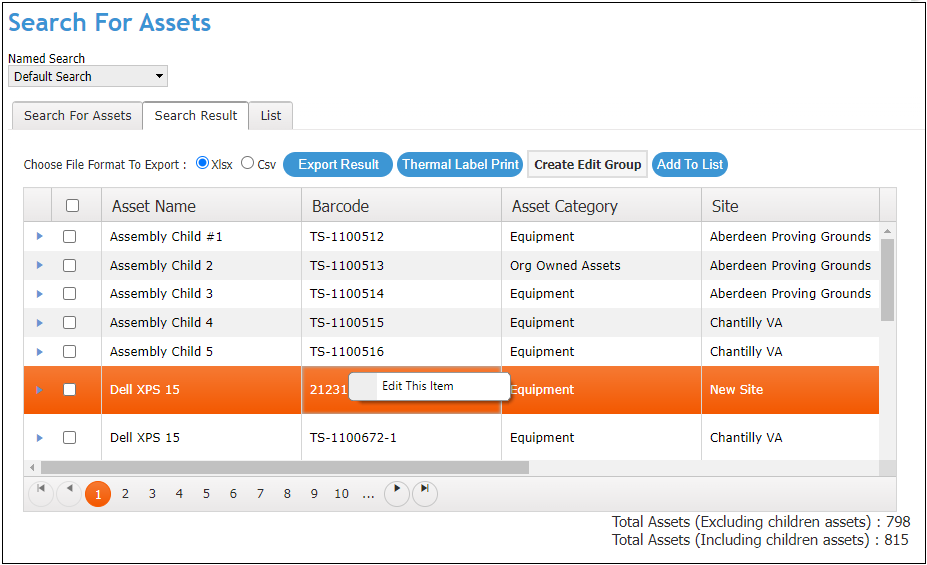
- Right-click inside the row for an asset to edit
-
- An Edit This Item option will appear
- Choose Edit This Item
- On the next screen you can access the values for the asset fields that have been populated
-
- Choose or enter a new asset value and choose Save to alter the asset
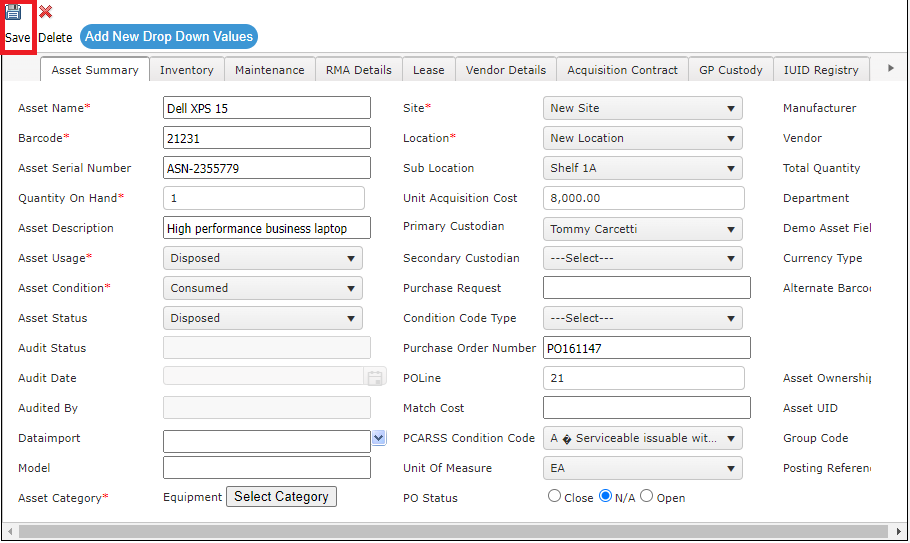
- Choose or enter a new asset value and choose Save to alter the asset